
For the past 3 years, I've been navigating the world of generative AI tools. As you know, our agency offers a professional grade activation video as part of our client service package and because of that offering, Im constantly leveraging the latest generative tools to get the job done. Learning and applying these tools is alot to keep up on. At the time of this writing, I'm leveraging various image, video, voice, music, and sound generative tools paired with custom built pipelines and MCP integrations when necessary. You name it and I've likely built something using it. The journey has been both incedibly rewarding and entirely overwhelming.
While there is alot to learn and an abundance of tools at our disposal, something really bothers me about the way the information is being delivered to us. For whats felt like two years straight now, im constantly absorbing content from influencers and colleagues telling me that the latest image model, voice model, video model, etc. has changed everything. For real this time! and the legacy workstreams everyone has been using for years are now "dead". By this point I should have eliminated Figma and the entire Adobe Creative Suite. I shouldnt be writing my own content anymore. And I should have a team of agents creative directing every task for me while I go play a round of golf. The agents will get everything right on the first try and I can just monitor the outputs from my golf cart. If this sounds absurd to you too, thats because it is.
What's been the hardest part for me is, the headline grabbing posts do have alot of truth to them. The tools are incredibly capable. They do introduce efficiencies that I will absolutely use going forward. But the fact is, there really isnt one generative tool that will get the entire job done for you and you certaintly isnt going to get you exactly what you're looking for in one shot. For the next few blog posts, I'm going to take you through 3 examples that paint a picture for how im navigating image, video, and sound generation to craft high quality video content. I'll also provide outputs that I've personally created using these tools and methods.
Let's start with image.
First of all, there are so many tools in this category. Whether you want to start with your own reference photo, start with a prompt, a combination of both, you can. It's all personal preference. The first tool I generally reach for is Nano Banana Pro. Pro allows for upwards of 14 reference photos which is perfect for someone like me because I like to start with a mood board. I generally have a vibe that I'm going for and I can add all of the content that I need to achieve the vibe into the prompt box. I also rely heavily on my own hand drawn sketches as references to describe character, object, and product positions. By no means am I an artist but, I am good at drawinng. Certaintly good enough to get my point across to an AI model. Once I have all the references I need, ill have Nano Banana Pro produce a grid of renderings with a single prompt. I might tell it to render a 21:9 aspect ratio image with a grid of 2x7 renders. This gets me 14 images in a single rendering. None of them will be perfect, but i now have more references to build off of. Maybe I tell Nano Banana Pro to take the background from image 1, the lighting from 3, and a combination of the character expression in image 4 and 7. I'll continue to refine and iterate until I'm happy with my output.
A quick side note about Nano Banana Pro: it currently has two features that I really love and rely heavily on. Generating character model sheets and generating background imagery.
For those unfamiliar with character model sheets, what I'm describing is a reference photo of your main character. Animation studios use these to establish characters for their shows. A frontal, side, rear, and 3/4 view of your character gives the generative models a really good chance of success when placing this characcter into different scenes. I leverage Nano Banana Pro for this but GPT Image 2.5 also does a stellar job. I feel like it's a 1a 1b scenario when choosing between the two options. I swap between the two but find myself leaning towards Nano Banana Pro most days.
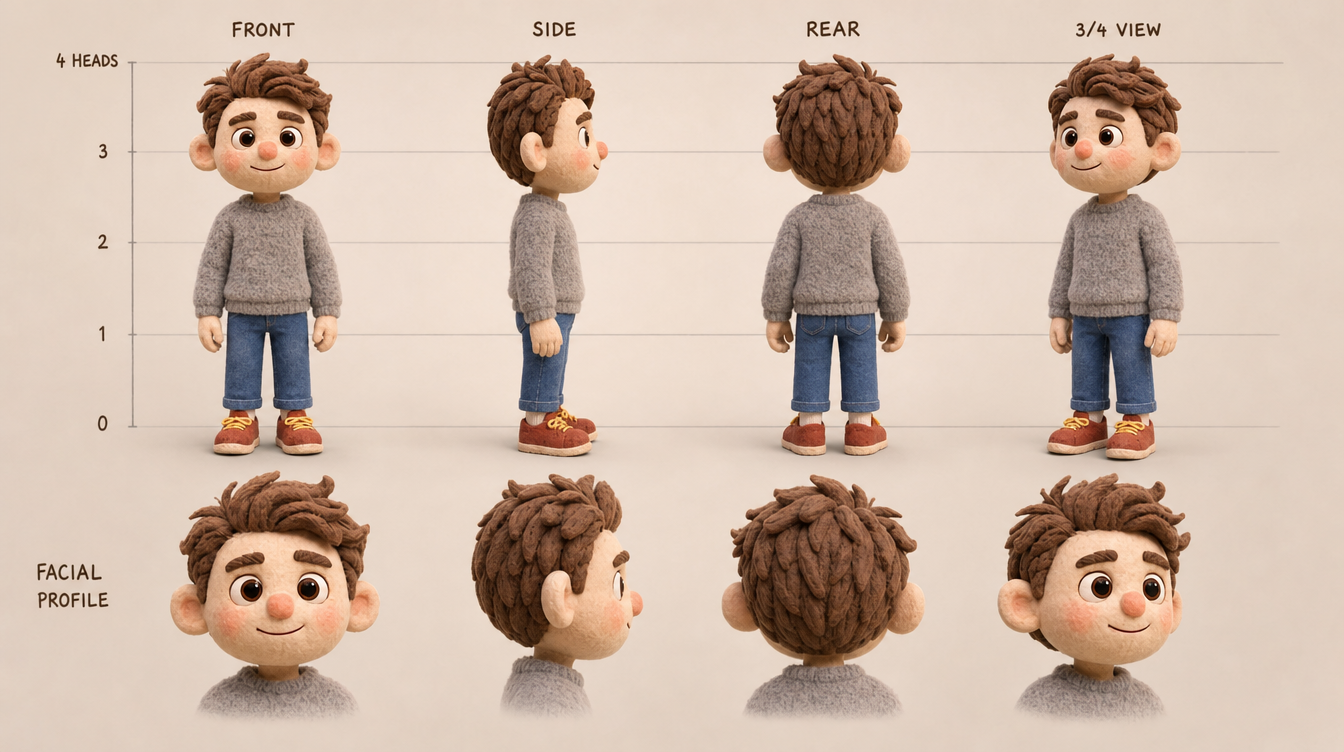
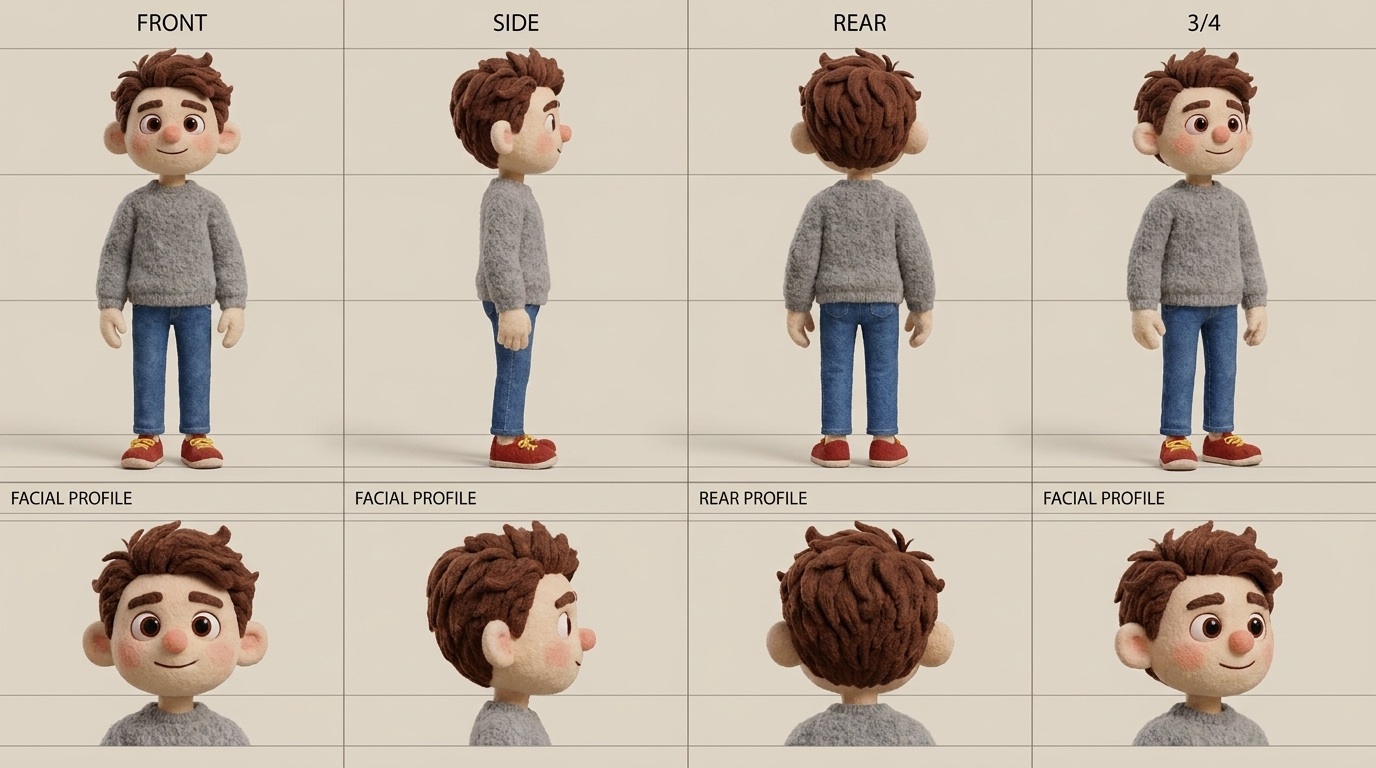
So let's assume I've created my character and I'm really happy with the output. It's time to start creating scenes. For this i'm going back to Nano Banana Pro. The video referenced throughout this series is one I generated for our upcoming mobile app called Authored By. Our onboarding video has a central character and that central character navigates the many scenes of a day in the life of a typical city goer. Maybe they are going to work, dressed in business clothes. Maybe they are getting coffee on a weekend at a casual spot. Maybe they are at home in their kitchen, cooking a meal. Maybe they are out with friends. Each scene might require different lighting, costume, elements, backgrounds, etc. Whatever it might be, Nano Banana Pro is excellent at this. Iterate until you get what you want. If our ultimate goal is to create a video, we'll want to generate all of the key scenes we want included in that video. Leverage the character model sheet and tasteful prompting to get the reference photos you need.
Okay so let's say you are getting to the point where you are feeling comfortable using Nano Banana Pro. You can generate model sheets, are achieving character consistency, and can place that character in all of the scenes you need. But one day you woke up to your newsfeed claiming Nano Banana Pro is "dead". There is a new king in town and you better learn that tool quick or you'll be left behind. This happens all the time. Just take a breath. All of that work you just put in to learn a new tool isnt going anywhere.
When GPT Image 2.5 came out, i read articles and watched about 2 hours of video telling me how it was going to be the only image generation tool I'd need going forward. Spoiler alert, It wasnt. I still use tools that I've grown comfortable with and they are my staples but you know what? I did find in testing GPT Image 2.5 that it does do a better job at generating text art. A nuanced but unquestionably useful niche. So for me, that little nuance opened a spot in my toolbox for GPT Image 2.5. I use it anytime I need to modify renderings that have text on them.
I think this is the right approach for leveraging new tools as they emerge. They are backed by billion dollar enterprises and generally launch with top level marketing pushes. Take that content in, with a calm and objective frame of mind and go try to build something. It wont take long for you to categorize the new tool into a bucket that works specifically for you and the content you are creating.
Navigating the generative AI space for me has been countless versions of the GPT Image 2.5 story I shared above. Ultimately, the best remedy for me when it comes to deciding which tool is right for the job is getting my hands dirty and trying to build something with new models as they come out. If this is entirely new territory for you, there are platforms out there that make this easier. The one that I like to use is Higgsfield AI. You can purchase a block of tokens per month and decide which model you want to apply those tokens to. Change models as frequently as you'd like. It beats having individual subscriptions to a bucket of different tools. Especially when you are just getting started and refining which tools work best for your use case. Or, if you'd like somebody to do it for you, give us a shout. Small Machines AI would love to have you as a partner.
In the next article, we'll move on to generating our first video clips leveraging the skills we learned in this post. Talk soon!